Sense AI: home monitoring for elderly care
- Timeline
- 2 months · 2025
- Role
- Product Designer (solo)
- Team
- Product Manager Hardware team App developers
This project is under NDA. The product name has been changed and the colours modified.
Overview
Does my parent need attention?
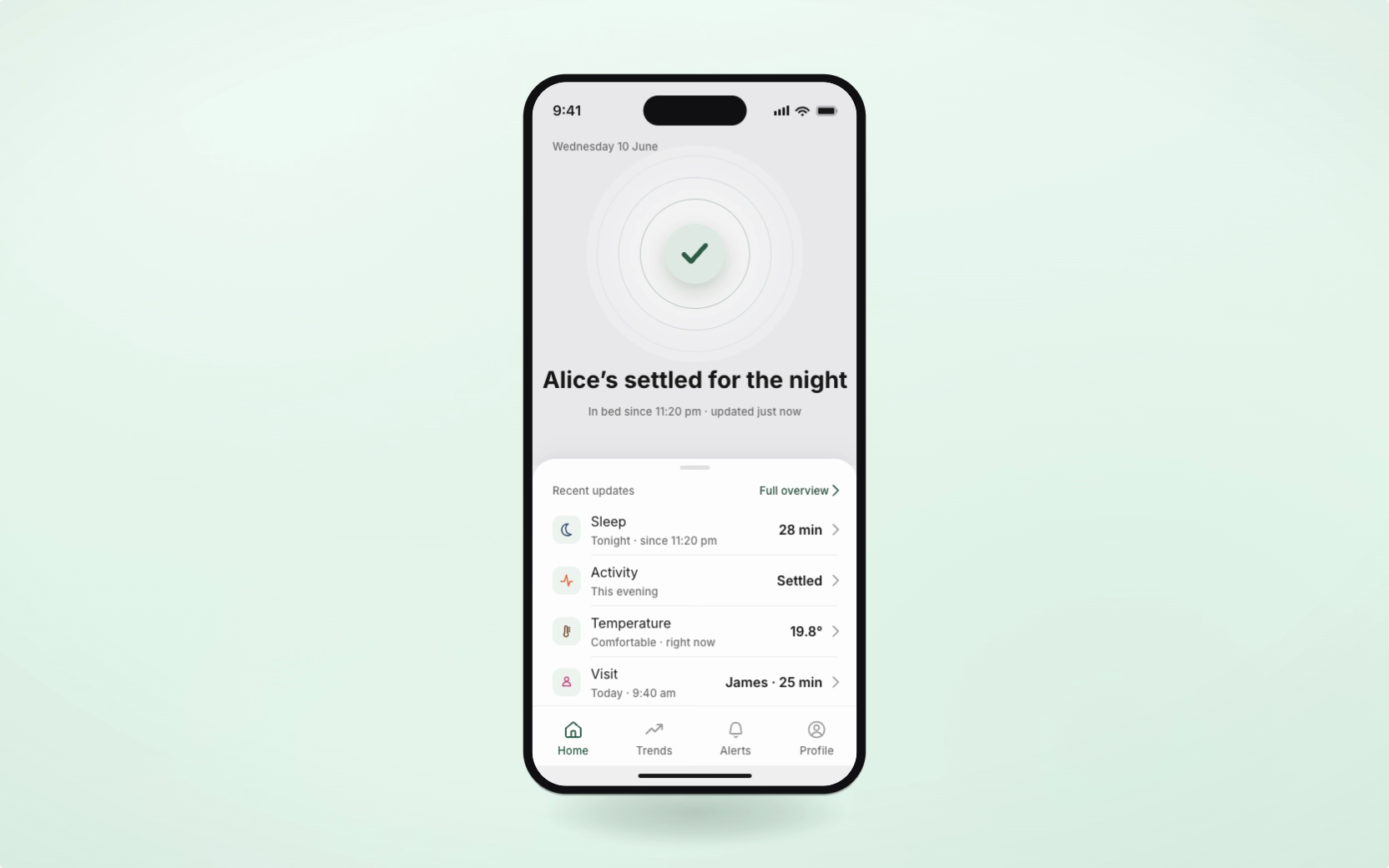
Sense AI pairs passive home sensors with a mobile app so family members can check on an older parent. In the earlier app, caregivers had to interpret individual readings to decide whether their parent needed attention. Over two months, I redesigned the app around an overall status and a clear way to respond. The redesigned app was running in ten homes during beta testing.
Problem
More readings could make a quick check harder
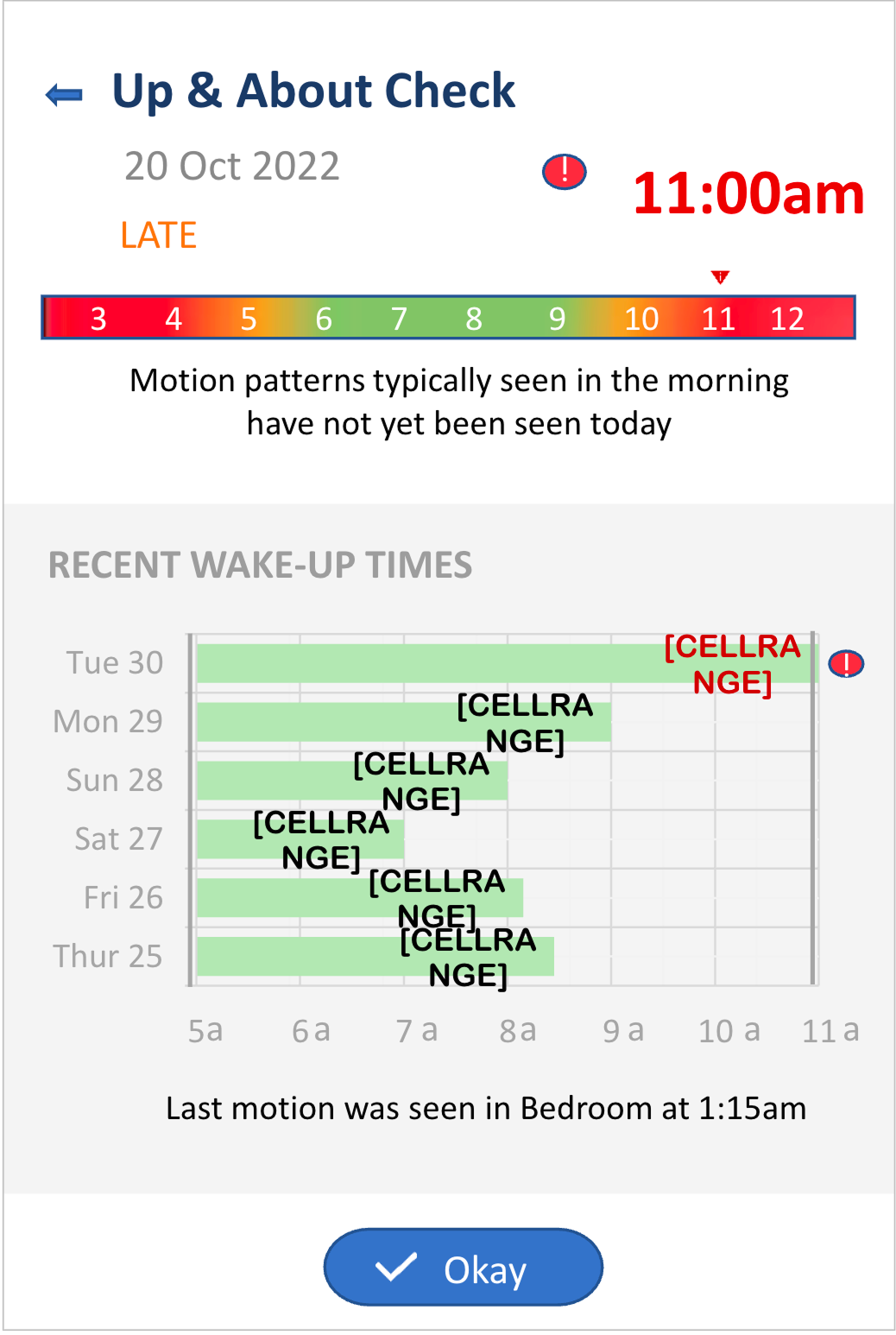
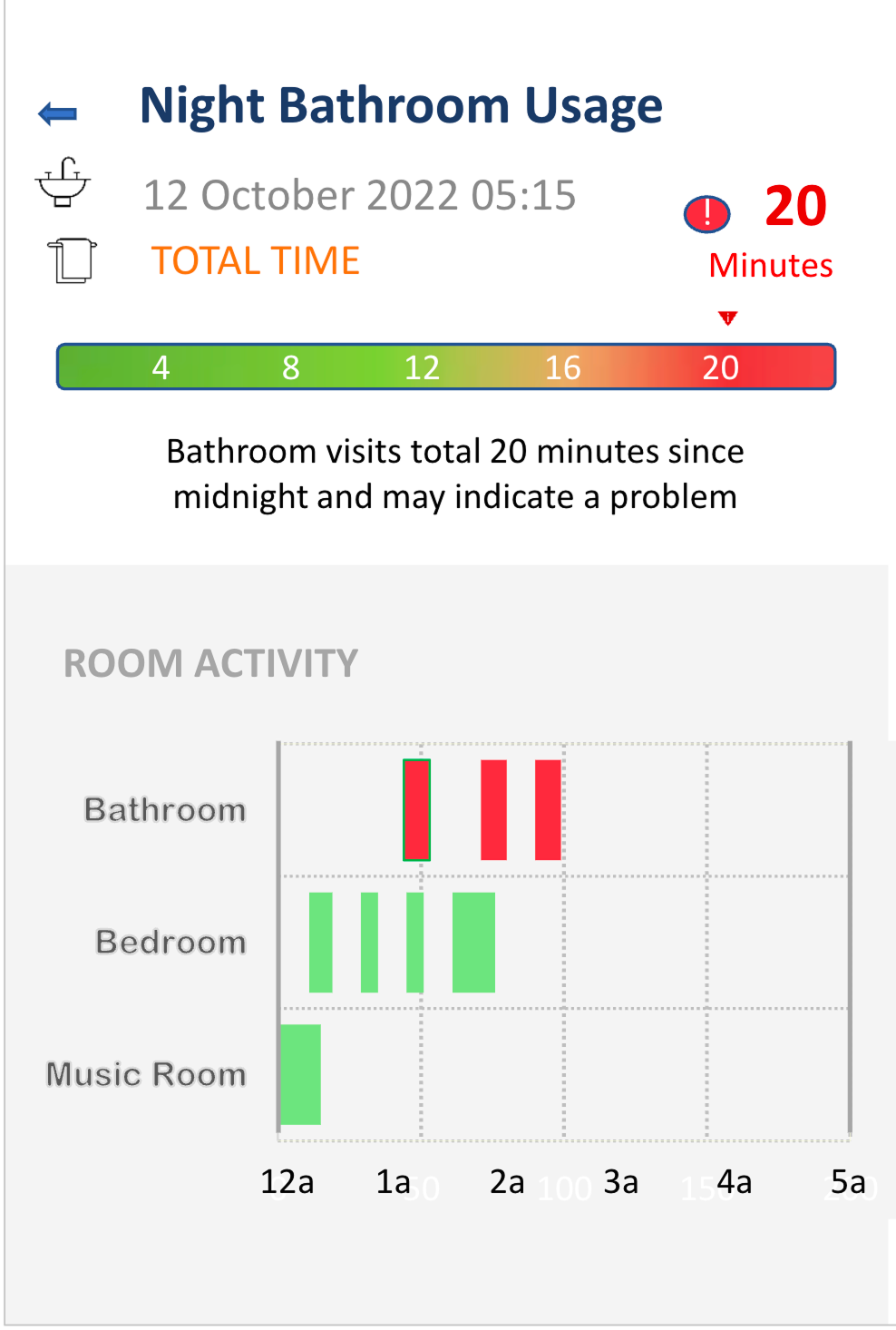
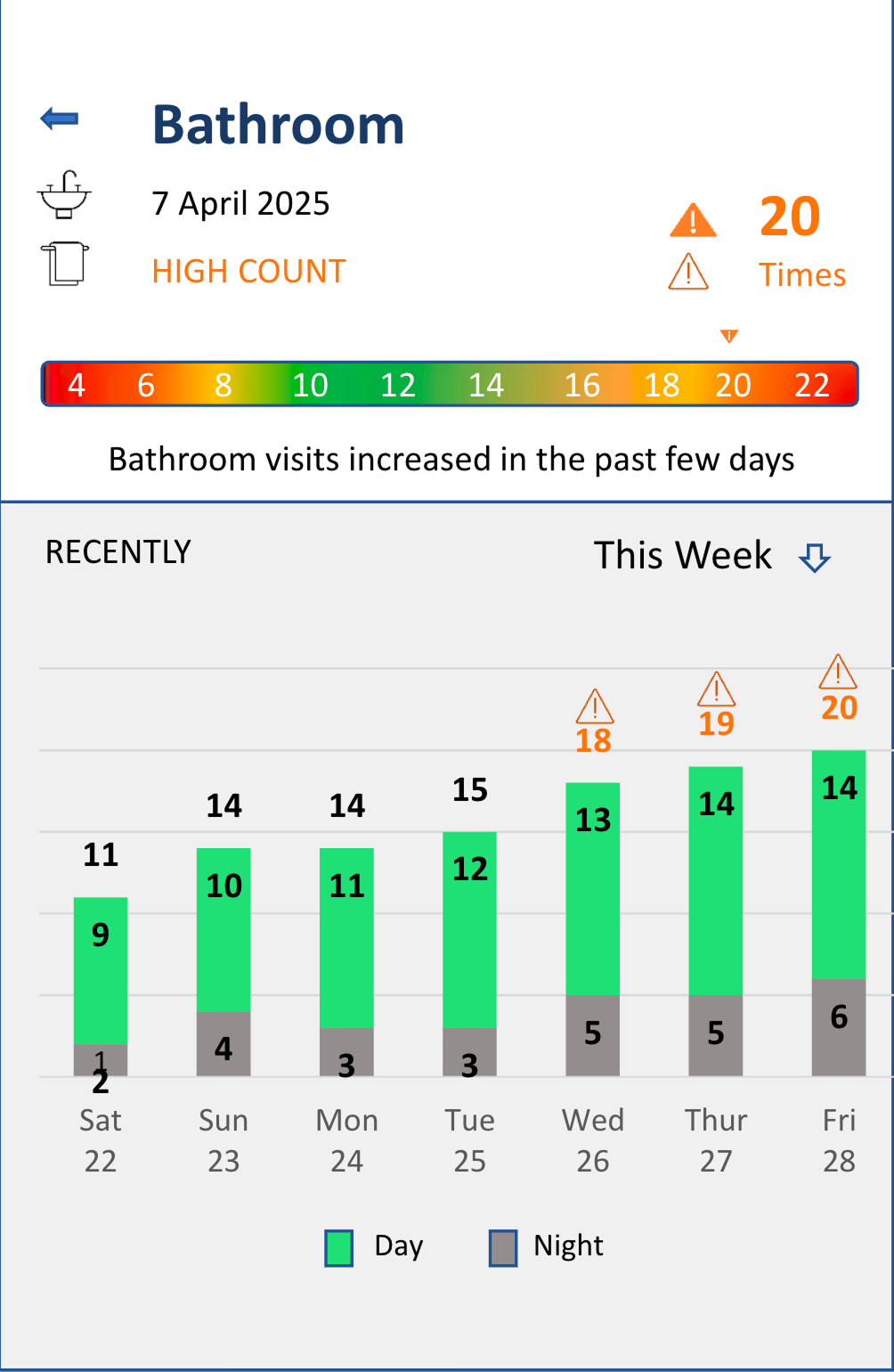
The existing app relied on scales and charts that caregivers found difficult to understand. Some readings had short explanations, but the overall picture still took work to piece together. A new generation of hardware added humidity, lighting conditions and door status, making it more important to help caregivers understand the readings together.
At home
Does my parent need attention?
Up and About Check
Night Bathroom Usage
Bathroom
Design process
What the readings could tell a caregiver
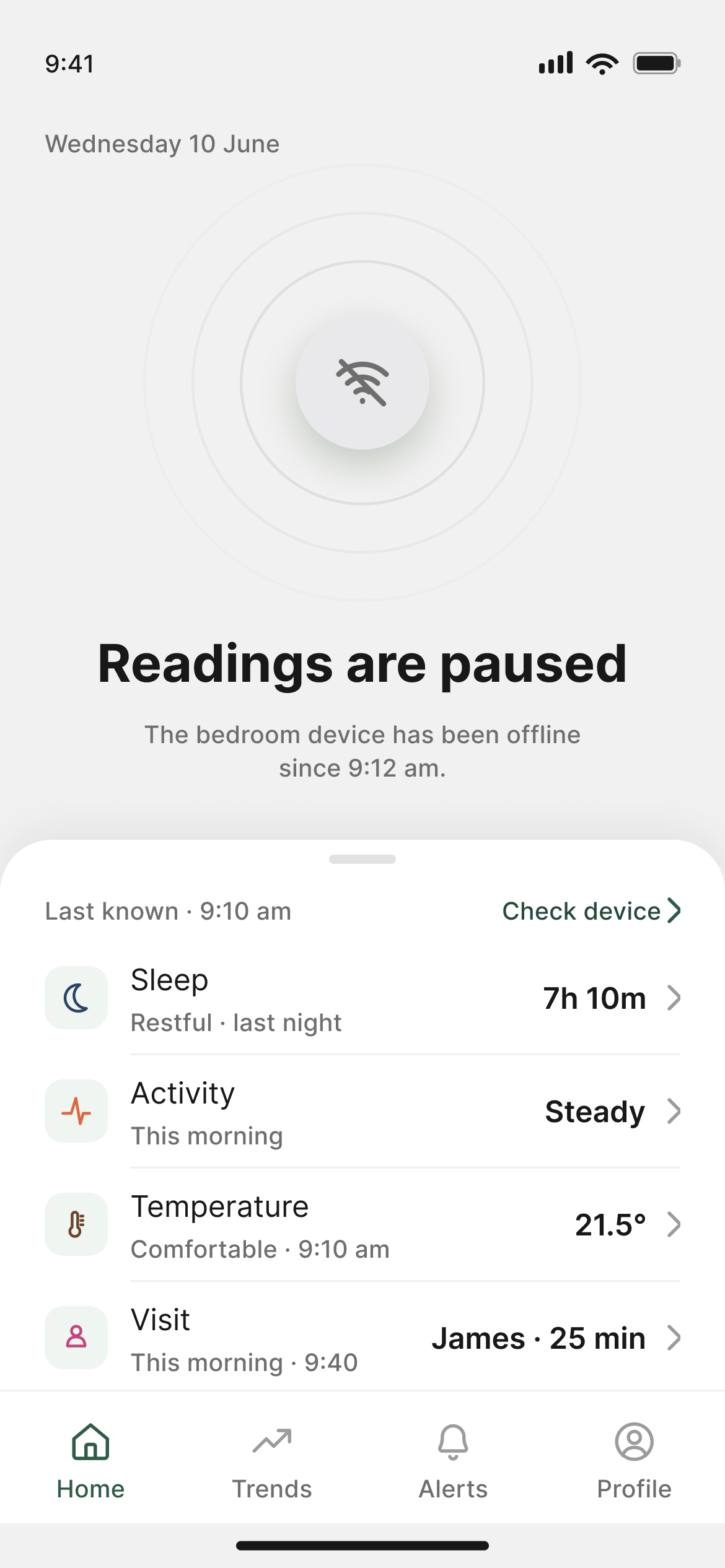
To make the readings easier to understand, I first reviewed the signals and their limits with the device team. A missing reading could mean a lost connection, rather than unusual inactivity. The app needed to distinguish between checking the device and checking on the person, and make clear when it was showing last-known information.
Device offline
Unusual inactivity
An overall picture before individual readings
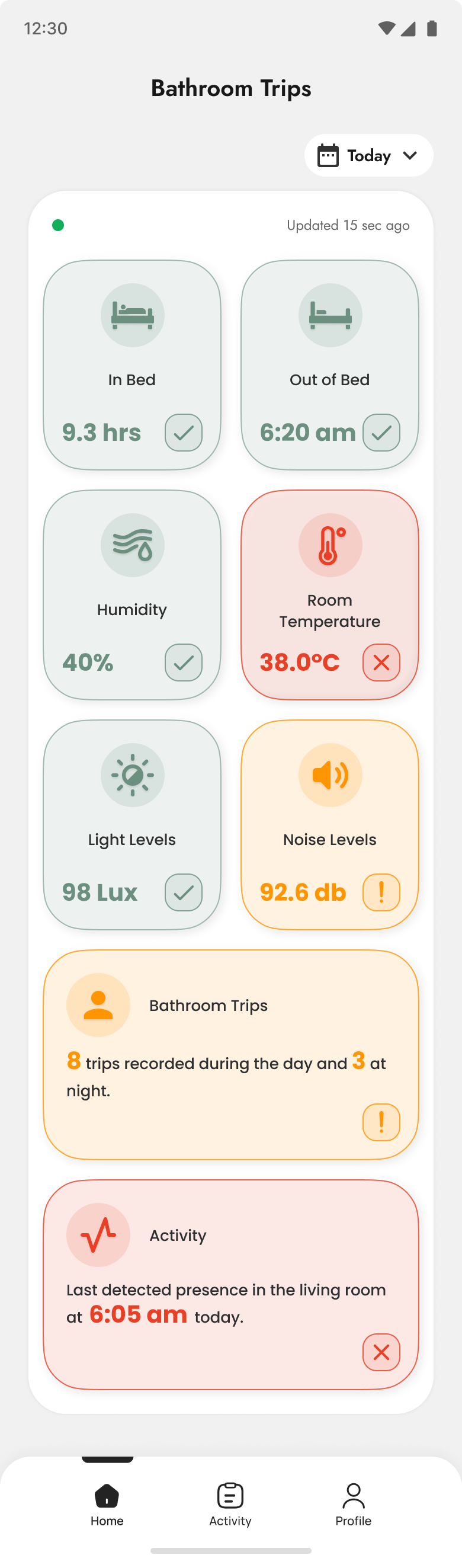
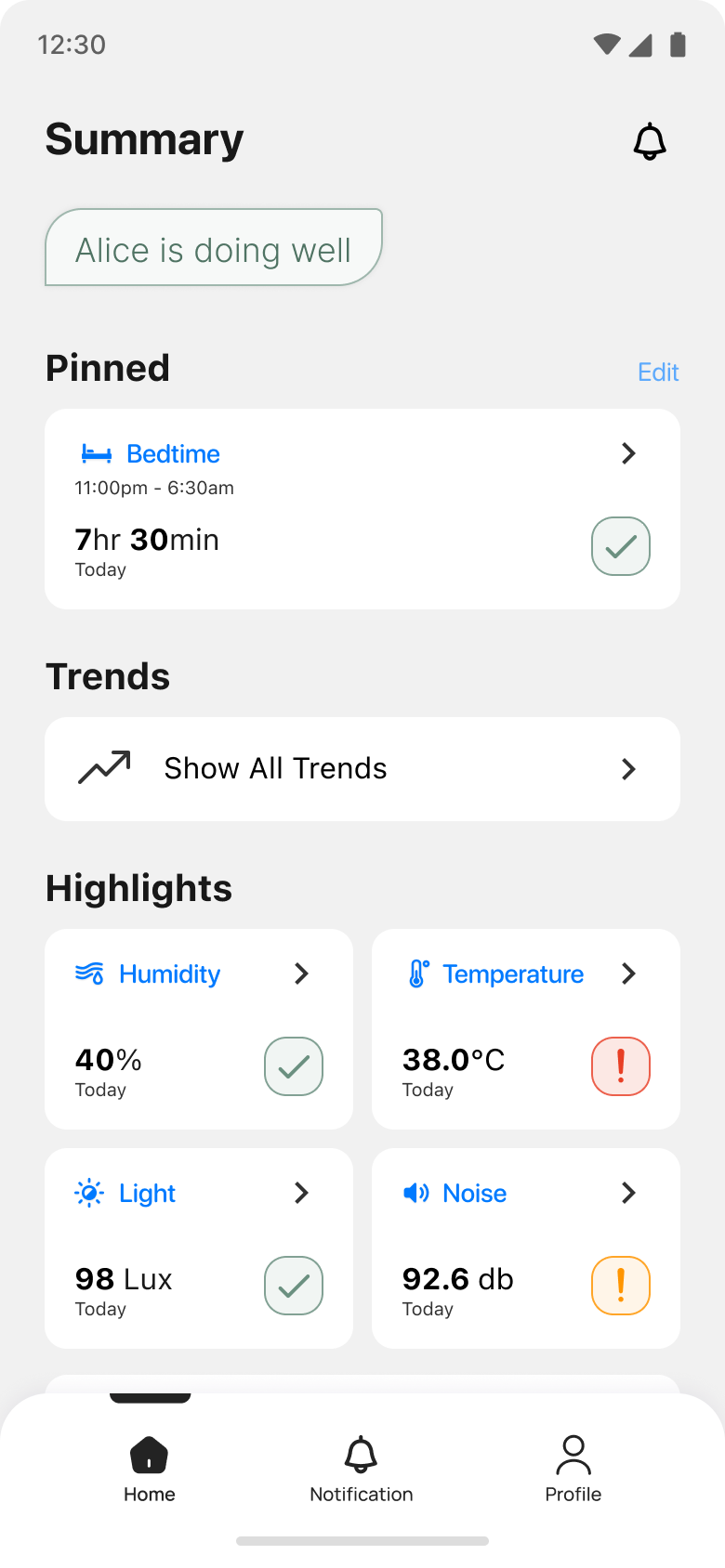
The early Home designs left caregivers to piece together separate readings. Adding an overall summary was meant to give them an answer at a glance.
I tested two prototype versions with 16 caregivers from 10 homes, using a different group of 8 in each round. They used the prototype on their phones to check on the person, respond to a fall and see whether another family member was responding. In the first round, several caregivers read the individual readings before noticing the summary.
Individual readings
Early
Summary added
Later
Overall status first
Final
The revised Home put one overall status first and moved the readings into a pull-up sheet. This gave caregivers a clearer starting point, at the cost of an extra swipe to inspect the detail.
Home status
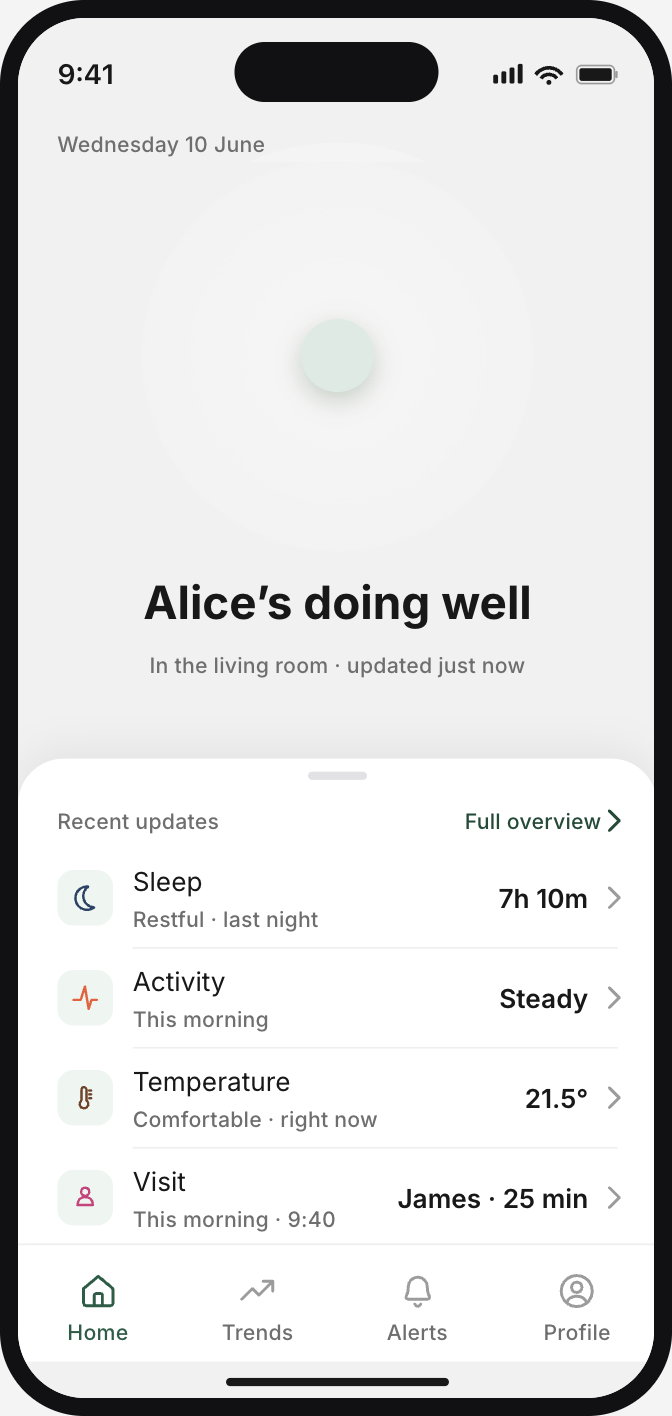
Supporting readings
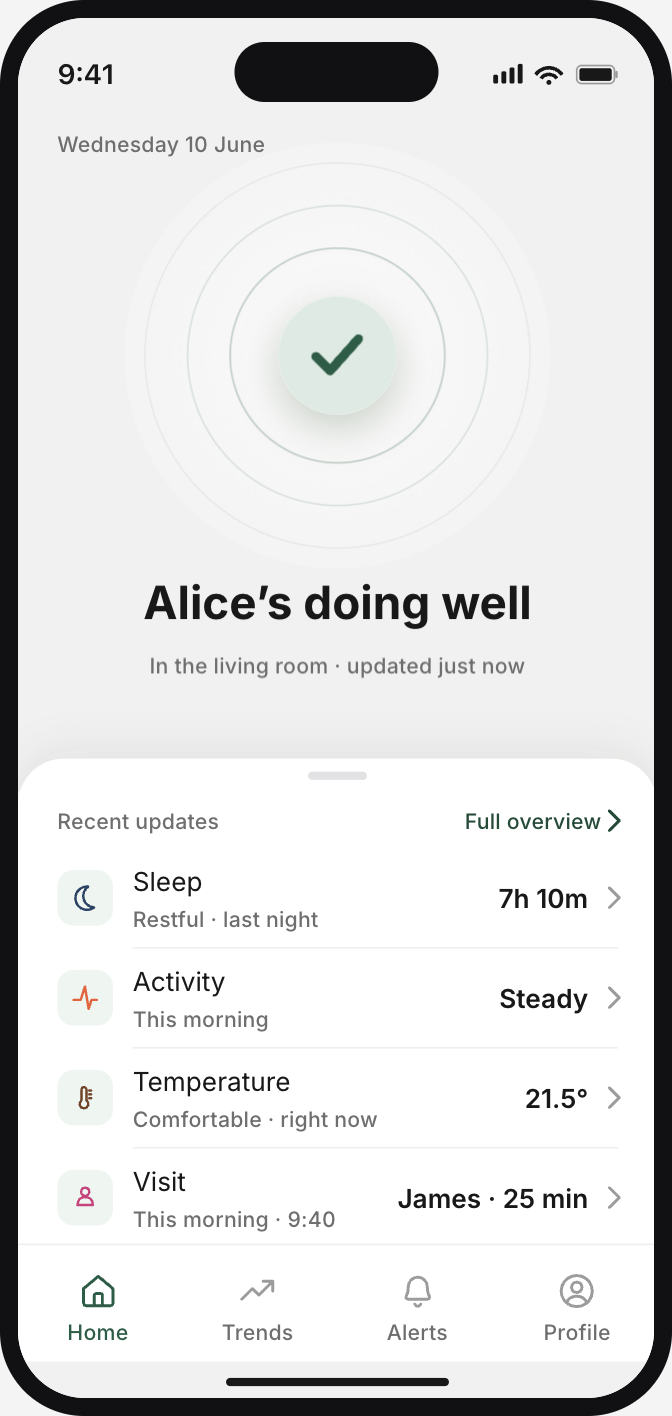
In the second round, the 8 new caregivers began with the overall status and found the actions without prompting.
Falls and help requests need immediate attention
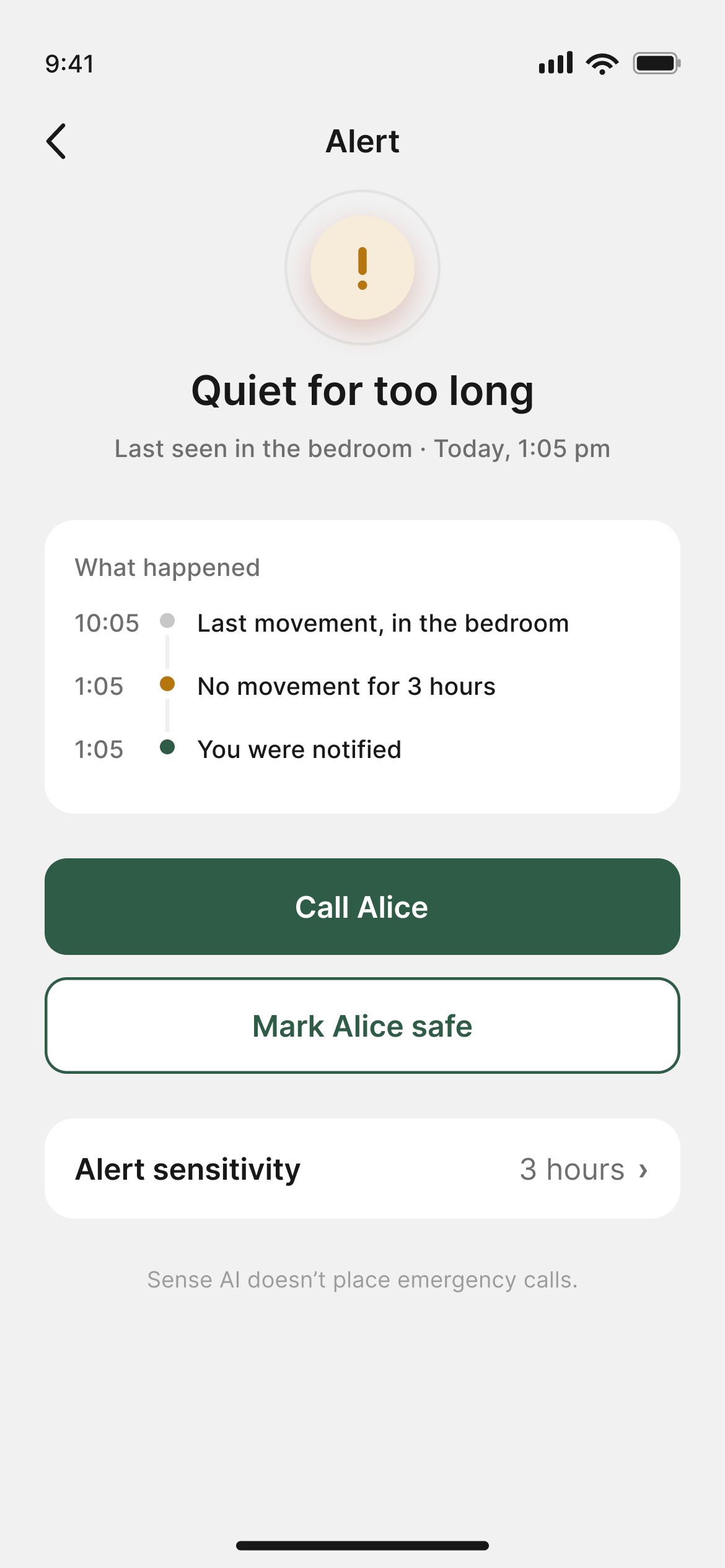
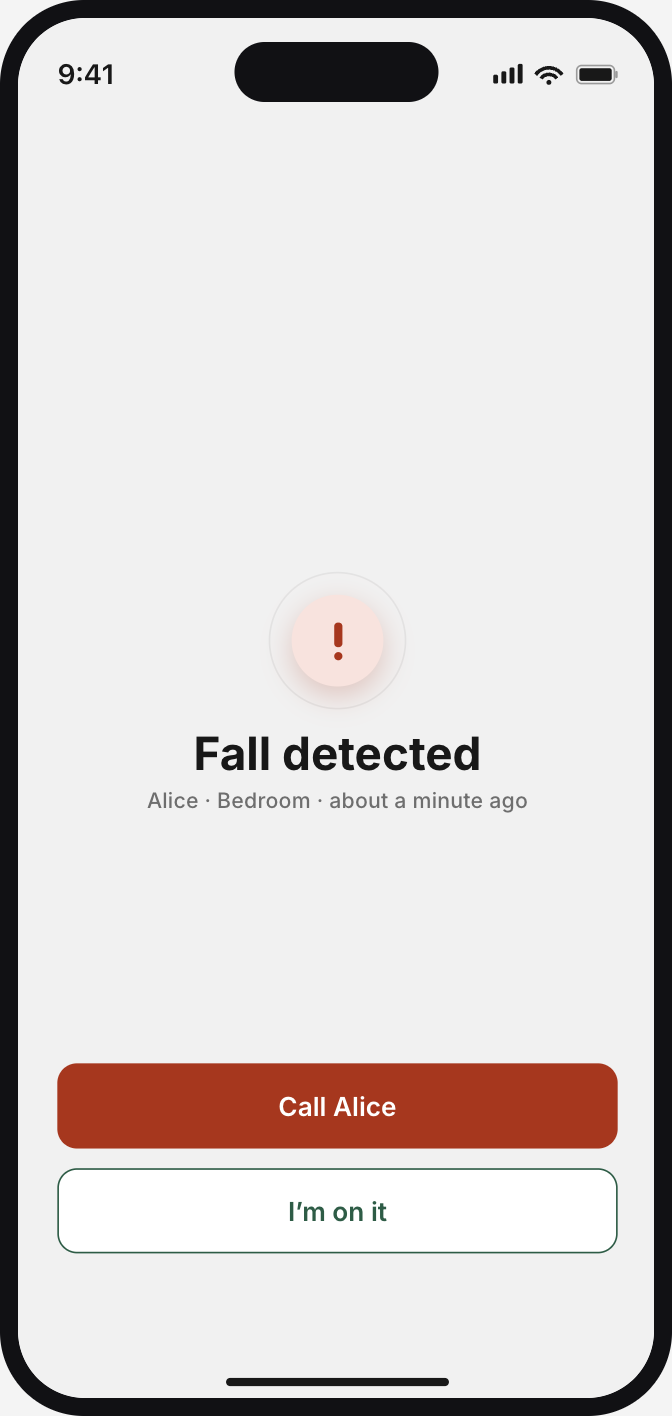
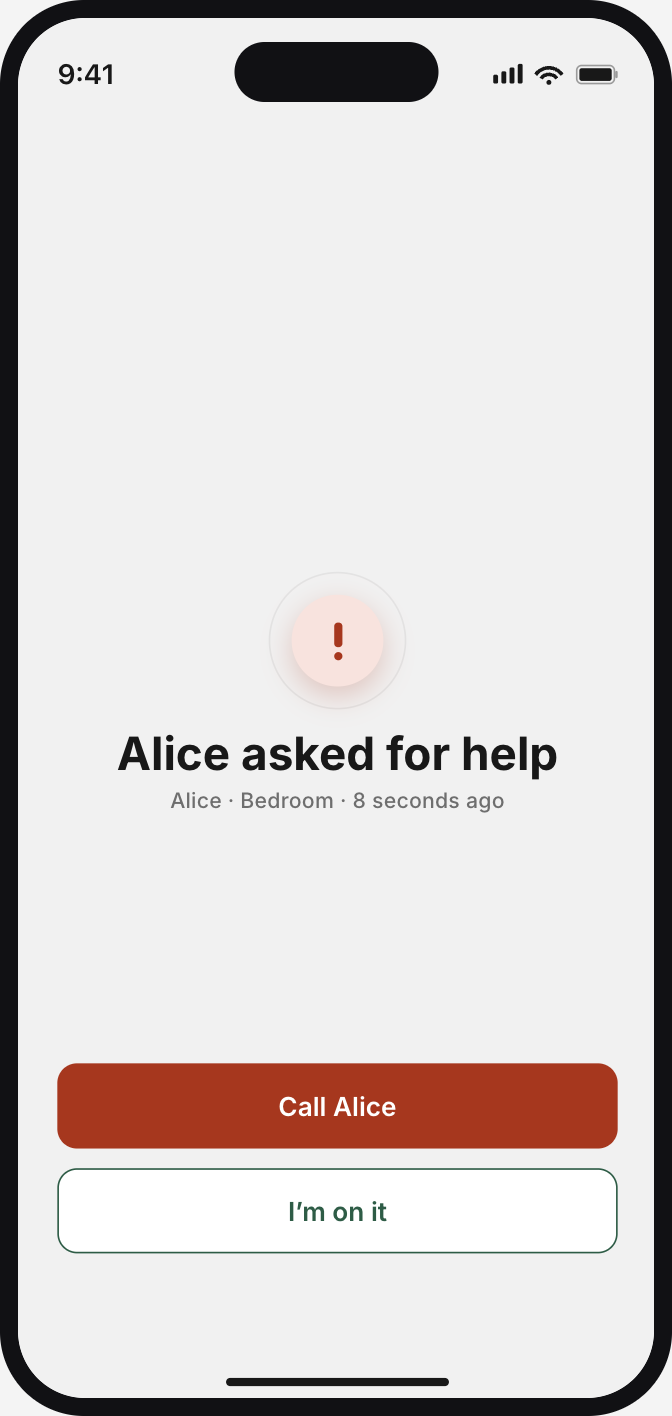
A detected fall or a press of the device’s help button needs a different response from a quiet period at home. Giving every unusual reading the same emphasis would make these events harder to distinguish. The app gives falls and help requests priority, while less certain observations prompt a check-in.
Different levels of urgency
Considered: equal emphasis
Final: urgent events first
In the first prototype round, some caregivers were unsure what to do in a fall scenario. The revised flow explains the event, offers a way to call the parent and lets the family see who is responding. Acknowledging the alert means someone is checking; confirming the person is safe is a separate step. The app does not contact emergency services.
Early exploration
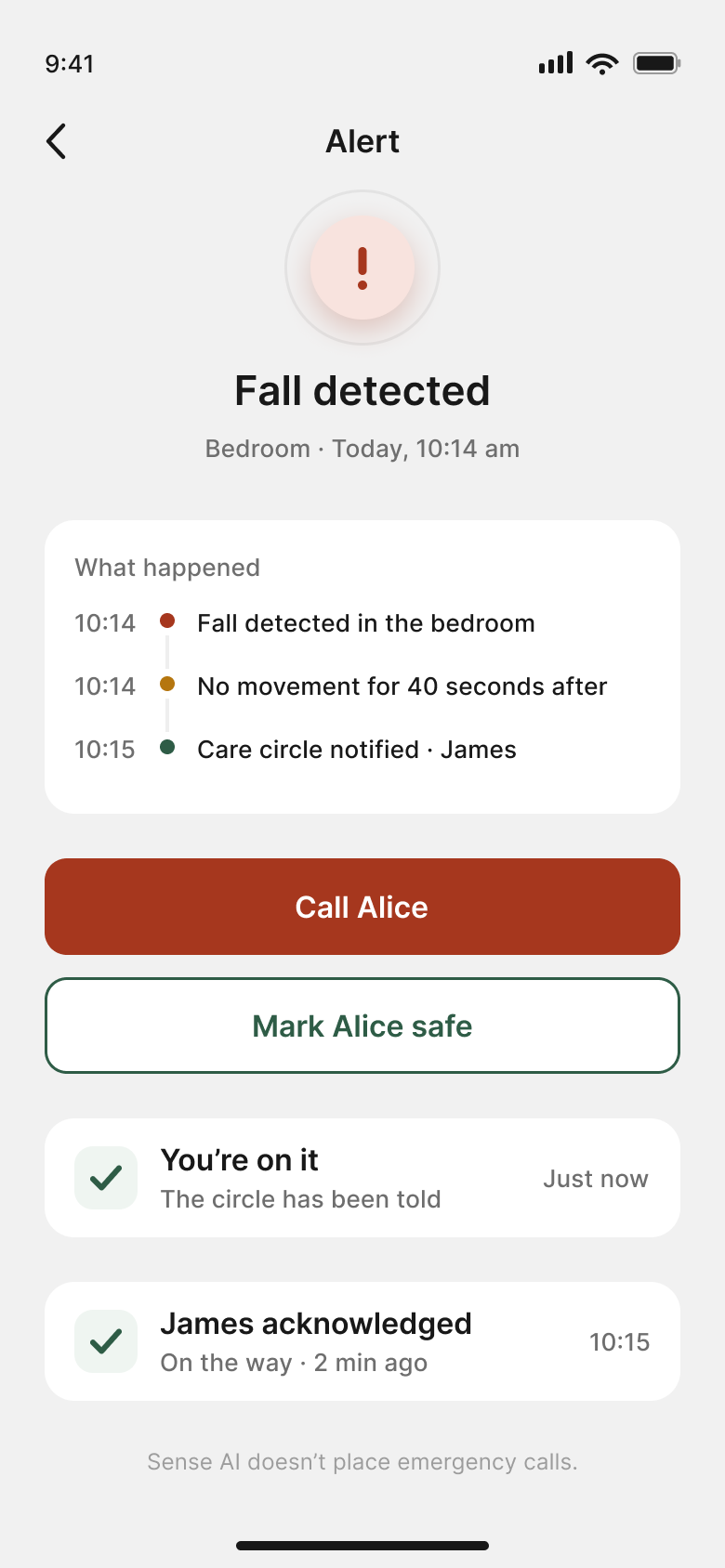
Revised: response acknowledged
Fall alert
Help request
Two findings shaped the revised flow
Observed difficulties connected to design responses
FindingIndividual cards drew attention before the summary.
Design responseOne overall status on Home.Detailed readings one swipe below.
FindingSome caregivers were unsure what to do in a fall scenario.
Design responseA clear way to respond.Call the parent and let the family know.
Making daily readings easier to understand
Caregivers needed to understand the detail behind the overall status, including when movement happened and how sleep or room conditions had changed. I used a consistent information order and clearer explanations across the six readings, while choosing charts suited to each type of information.
Activity
Bathroom
Environment
Sleep
Around home
Visits
To check interpretation, I asked the 8 caregivers in round two to explain the day’s movement from Activity. They averaged about 28 seconds on first use and 16 seconds with fresh data later in the same session. All 8 were correct on both attempts.
Checking now and looking back
Home gives caregivers a view of the person’s current situation, including when they have settled for the night. The weekly review brings changes across several days together, so caregivers can look beyond a single reading.
Week in review
Home at night
Context the sensors could not provide
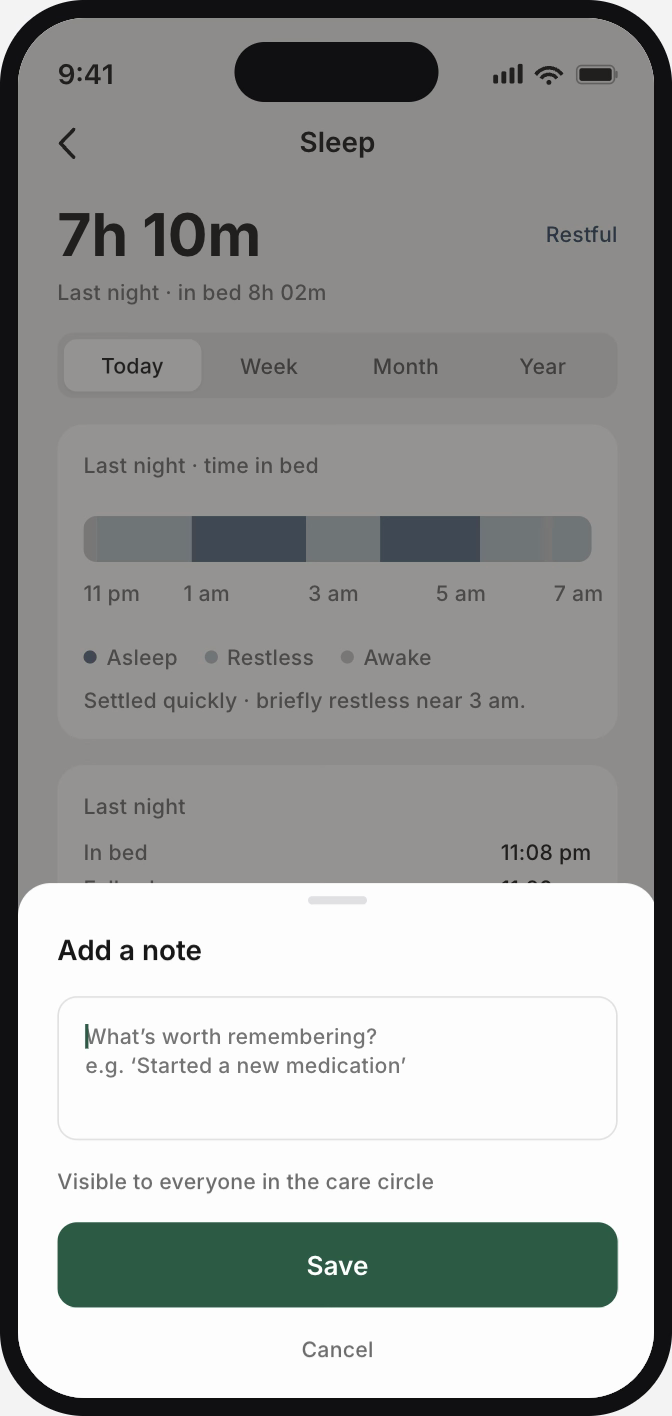
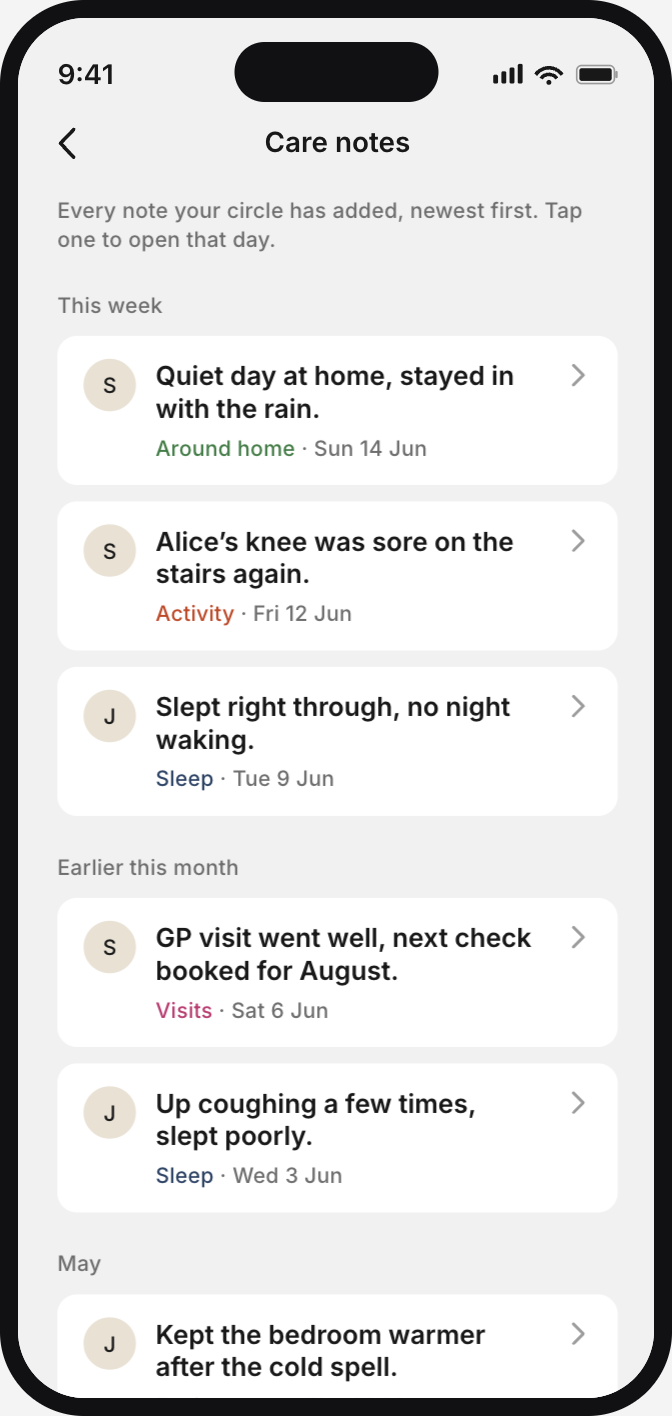
A caregiver asked to record things that might explain unusual sleep or activity, such as a new medication or a bad night. Care notes keep that context alongside the day’s readings and make it available to family members sharing care.
Add a note
Care notes
Outcome
In use across ten pilot homes
The redesigned app was running with sensors installed in ten homes. Beta testing was ongoing with positive feedback while the product awaited approval for public release.
Reflection
What I would carry forward
What I learned
Caregivers could find the readings but still miss the overall picture or be unsure how to respond. This reinforced the need to check what people understood and what they would do next, alongside whether they could complete a task.
What I would change
I’d include caregivers outside the pilot households at key stages, alongside those using the app over time. I’d also define what to measure before the first round, so I could compare understanding and response more consistently.
Next project
SO Logistics
Replacing paper records at the warehouse dock